AI Assistant
Your Smart Nutrition & Fitness Companion
Ever had a question about what you’re eating, how your fasting is going, or whether your activity level makes sense for your goals? That’s what the AI Assistant is for.
It’s not here to tell you what to do or push some rigid meal plan. You’re smart enough to make your own decisions. The AI just helps you understand your data and figure out what makes sense for YOUR situation. Think of it as having someone who can look at your numbers and help you make sense of them, whenever you need it.
How It Works
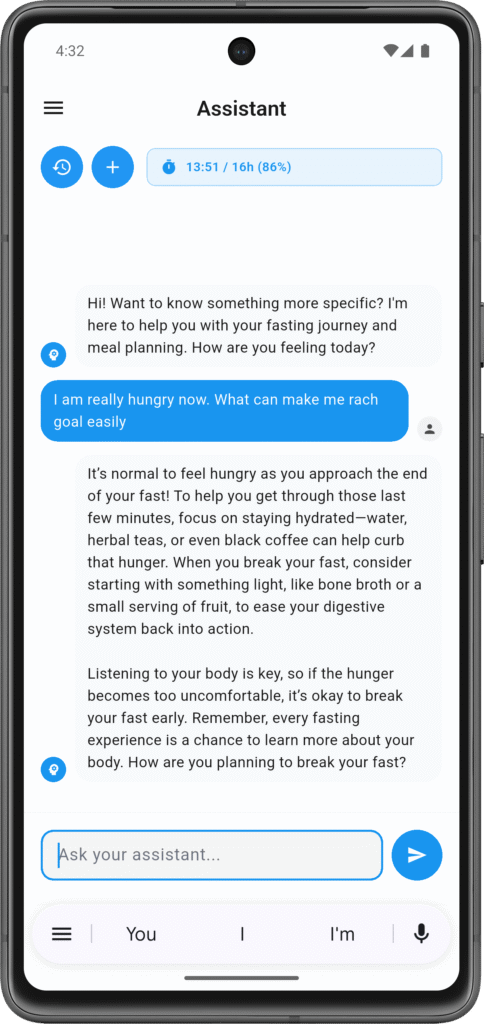
The assistant pulls from your actual app data when you ask questions. If you want to know whether you’ve eaten enough protein today, it looks at your logged meals and does the math. Wondering if you’re burning enough calories? It checks your step count and activity. Curious about your fasting progress? It knows exactly where you are.
Here’s what it can see when you chat: your current fasting status if you’re in a fast (duration and target), today’s meals with calories and macros, your step count and calories burned from movement, any severe symptoms you’ve logged (rated 4 or 5 out of 5), and sometimes your past week’s nutrition data if your question needs that context.
The AI only sees what you’ve logged in the app. It’s not reading your mind or tracking you outside the app. But what you’ve logged is usually enough to give you relevant, data-backed answers instead of generic internet advice.
What You Can Ask
Really, anything about nutrition, fitness, or fasting. The assistant covers the whole range:
Nutrition questions: “Did I hit my protein goal today?” “What’s a good meal to break my fast?” “How many calories should I eat in my eating window?” “I’m vegetarian – what are some high-protein options?”
Fasting questions: “Should I push through to 16 hours or break now?” “Why do I always get headaches around hour 10?” “What’s happening in my body right now at hour 14?”
Fitness questions: “Am I walking enough for weight loss?” “How many more steps do I need to hit my calorie burn goal?” “Is it okay to exercise while fasting?”
Pattern questions: “Why do I feel better on some fasts than others?” “Am I eating consistently enough?” “What’s my average daily protein this week?”
The AI looks at your data, gives you the facts, and helps you understand what’s going on. What you do with that information is up to you.
Setting It Up
The AI works immediately, but it gets more useful when you fill in your profile. Not because it’s going to prescribe some plan for you, but because it can then give you answers that actually fit your situation.
Head to your profile and add your fasting experience level (beginner, intermediate, or advanced), your goals (weight loss, health, mental clarity, muscle gain, etc.), your daily calorie and macro targets if you’re tracking them, and any dietary restrictions or preferences like vegetarian, vegan, or specific allergies.
Without this info, the AI can still answer your questions, but the responses will be more general. With a complete profile, you get answers tailored to what you’re actually trying to accomplish.
Usage Limits
There are daily limits on AI messages. Free users get 10 messages per day. Premium users get 100 per day, which is basically unlimited unless you’re having really long conversations.
When you hit the limit, the app shows you upgrade options. Your other features (manual meal logging, symptom tracking, fasting timer) all work normally regardless of AI limits.
Getting Better Answers
Be specific about your situation. “Should I eat?” is vague. “I’m 12 hours into a 16-hour fast, walked 9,000 steps, feeling a bit hungry but not weak – makes sense to push through or not?” gives the AI actual data to work with.
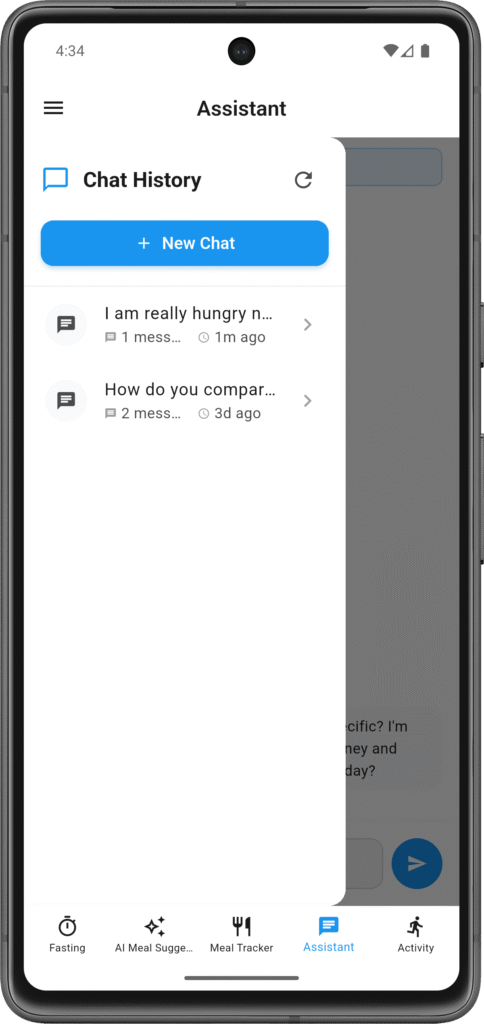
Ask follow-ups. The assistant remembers your recent conversation, so you can build on previous answers. You don’t have to start from scratch each time.
Use it for planning. “What should my meals look like tomorrow if I’m doing 18:6 fasting with 1,600 calories?” works great. The AI will give you options based on your preferences.
Be honest about what’s working and what isn’t. If you keep struggling with something, say so. The AI will help you find patterns or suggest alternatives, not judge you for it.
What It Does (and Doesn’t)
The AI helps you understand your nutrition data, make sense of your fasting progress, plan meals based on your goals and preferences, understand what’s happening in your body, and spot patterns in your eating or activity.
It doesn’t replace medical advice from actual doctors, diagnose medical conditions, or make decisions for you. It gives you information and insights. You decide what to do with them.
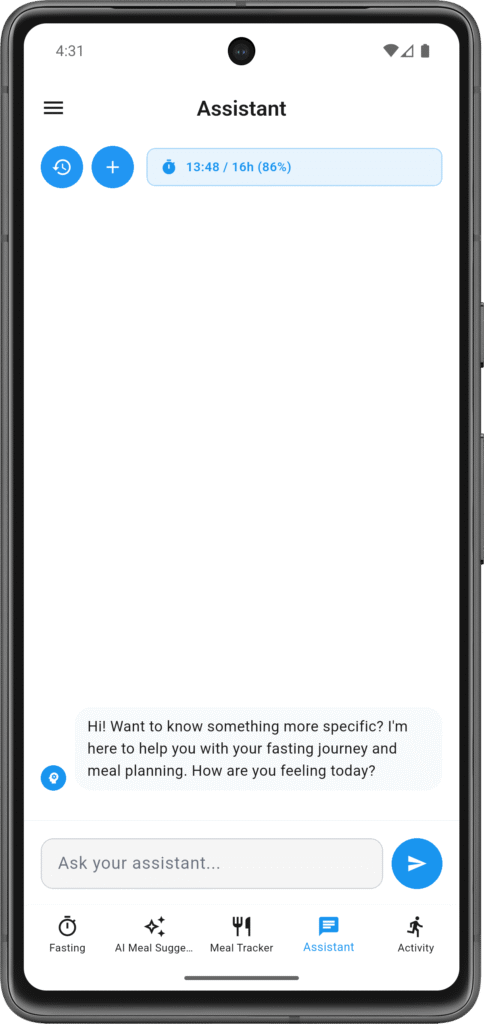
It also needs internet to work (no offline mode) and while it remembers your current conversation, it doesn’t have permanent memory of everything you’ve ever asked. Each time you open the app fresh, you’re starting a new chat.
Just Start Using It
Open the assistant tab. Type a question. See what happens. There’s no special format or commands to learn. Just ask what you want to know.
Most people start with simple questions like “How much protein did I eat today?” or “When should I break my fast?” and then realize they can dig deeper into meal planning, pattern analysis, or nutrition optimization.
The more you log (meals, fasts, activity, symptoms), the better the AI can help you understand your data. But even with basic logging, it’s useful right away.